How to Use the Option Builder Calculator from Scratch
What the main calculator does
The main calculator lets you build one or more option legs and inspect their combined risk profile. It calculates portfolio P&L, breakeven, and net Greeks for the legs you have added. It also lets you reprice the same legs under a separate What-If scenario.
This is different from Strategies. The calculator is for working through a construction in the moment. Strategies is the persistent ledger for saved constructions and ongoing monitoring. I keep those jobs separate so a temporary test is not mistaken for a live portfolio record.
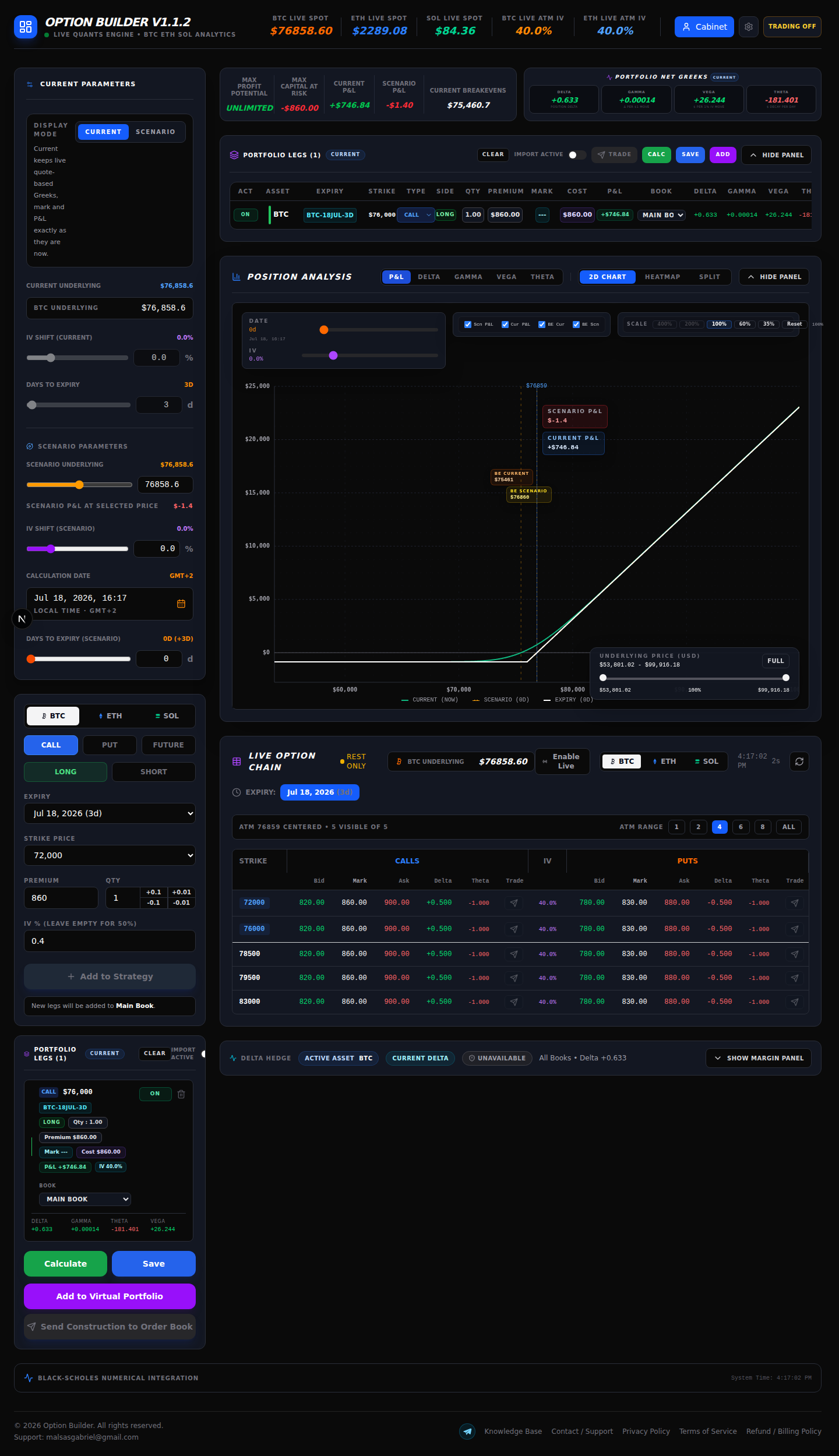
1. Open the application and check access
Open Option Builder and confirm that the workspace has loaded. The calculator is behind the application access gate.
2. Choose the underlying asset
In Current Parameters, choose BTC, ETH, or SOL. The selected asset controls the underlying quote and the option-chain instruments used by the builder. I start with BTC for this example, but the same sequence applies to ETH and SOL.
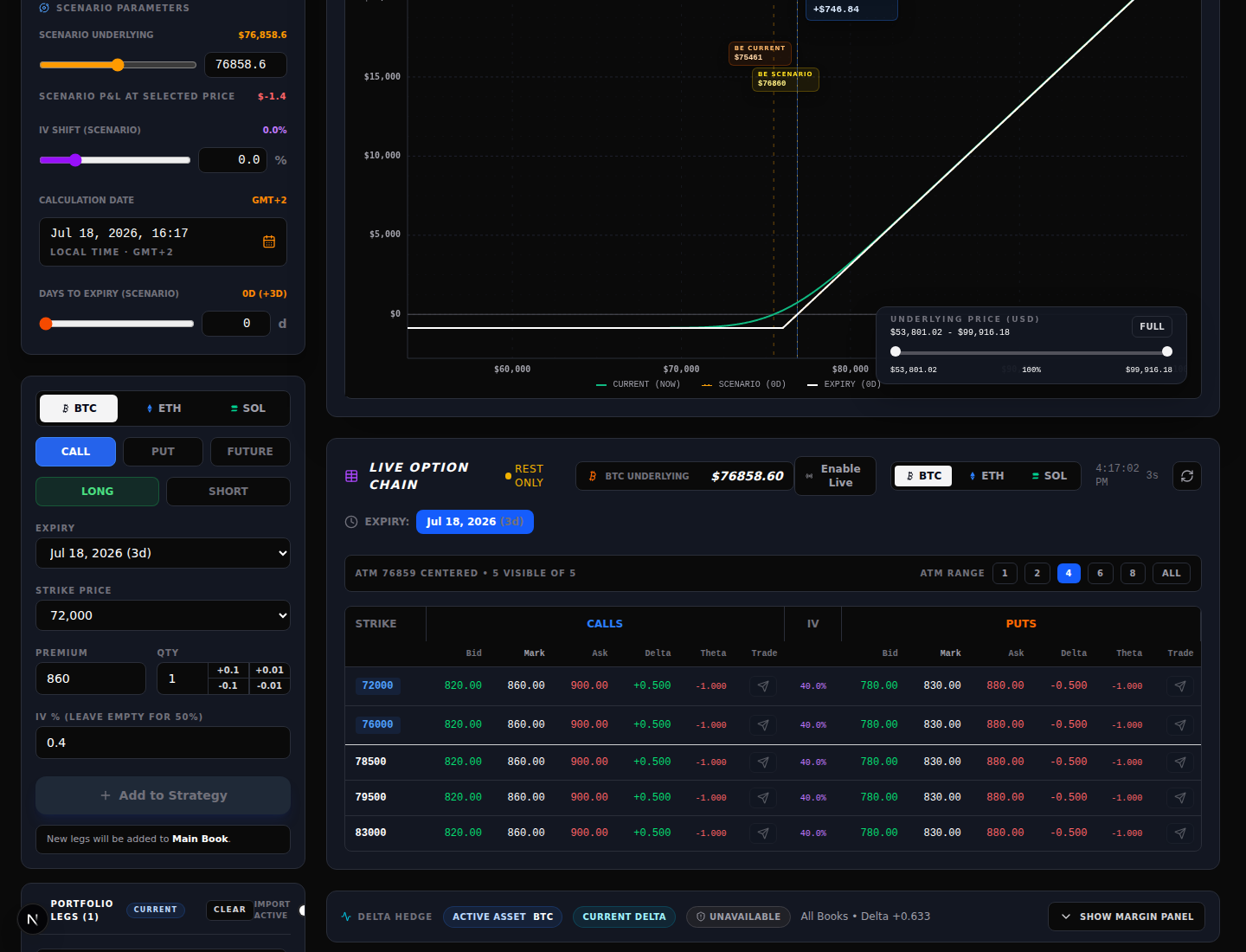
3. Load the option chain and select an expiry
Use Live Option Chain to choose an expiry. The chain can show a live data state. Select the expiry that matches the position you are modelling. The ATM range controls how many strikes are displayed around the current underlying; they do not change the position by themselves.
Each row exposes Bid, Mark, Ask and quote Greeks. Clicking a bid, mark, or ask cell fills the draft leg with that instrument’s details. It is a calculator input action, not an order submission. The separate Trade control opens the order-ticket path.
4. Define each leg
The manual form lets me verify every field before adding a leg:
- Asset: BTC, ETH, or SOL.
- Type: CALL, PUT, or FUTURE where the interface supports it.
- Side: LONG or SHORT.
- Expiry: the selected expiration.
- Strike Price: the contract strike.
- Premium: the price used for the calculation.
- Qty: the number of contracts.
- IV %: implied volatility input; the form notes that leaving it empty uses 50%.
For a quote-driven leg, I keep the bid, mark, or ask choice visible in my notes. Using the mark is a valuation convention, not a guarantee that an order will fill there. Check units and decimal places before adding the leg.
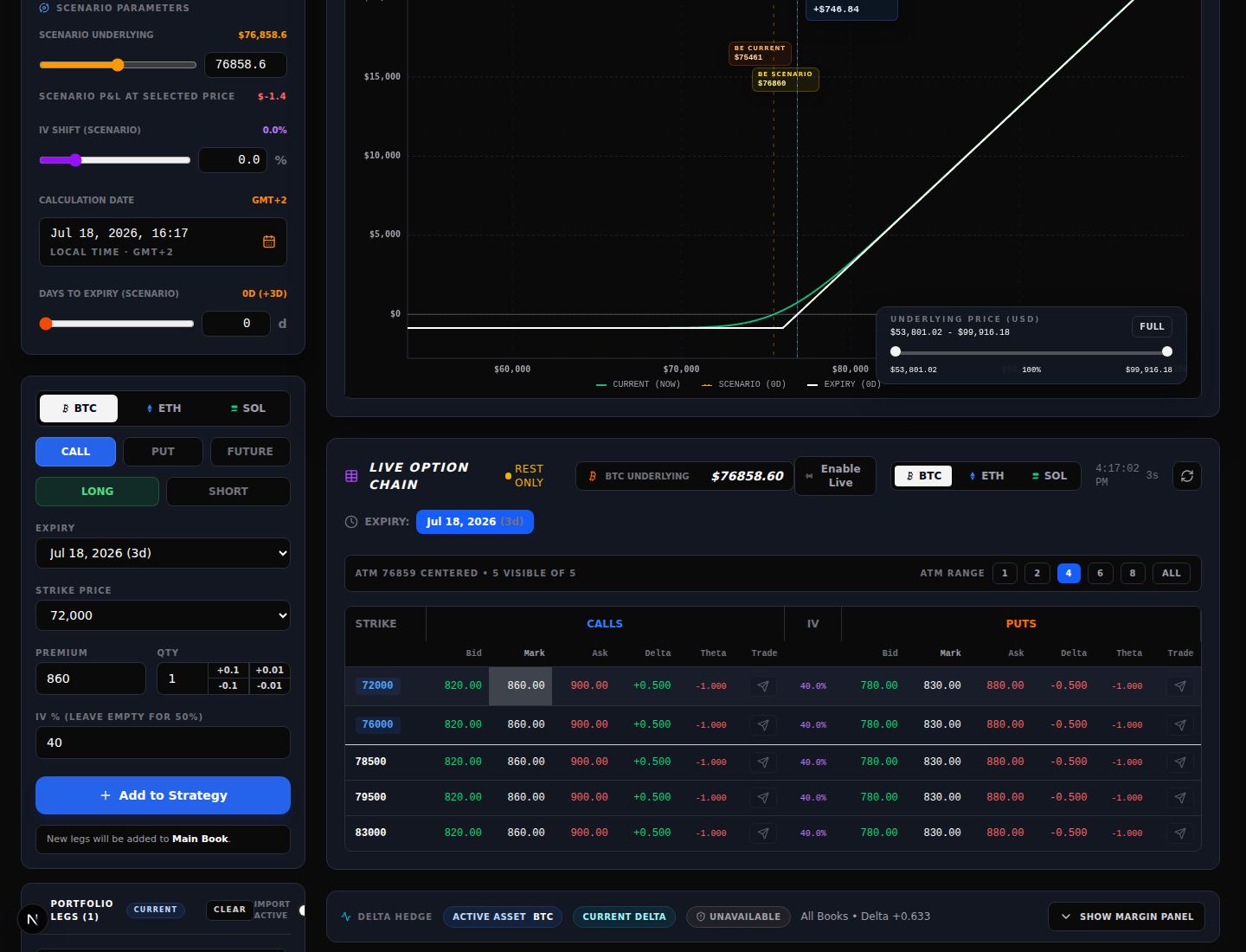
5. Add legs and inspect Portfolio Legs
Select Add to Strategy to move the draft into Portfolio Legs. Repeat the process for a spread, hedge, or other multi-leg construction. Before calculating, verify the asset, expiry, strike, type, side, quantity, premium, and book for every enabled row. Disable or remove a row if it is not part of the test.
Portfolio Legs is where I catch the common errors: a call entered as a put, a short leg entered as long, a wrong expiry, or a premium copied from the wrong side of the market. Do not infer a result from a leg that is still only in the draft form.
6. Run Calculate
When the enabled legs are correct, click Calculate. The button runs the calculator for the current or selected scenario mode. It does not place an exchange order. If the result is blank or disabled, check access, required fields, and the option-chain data state first.
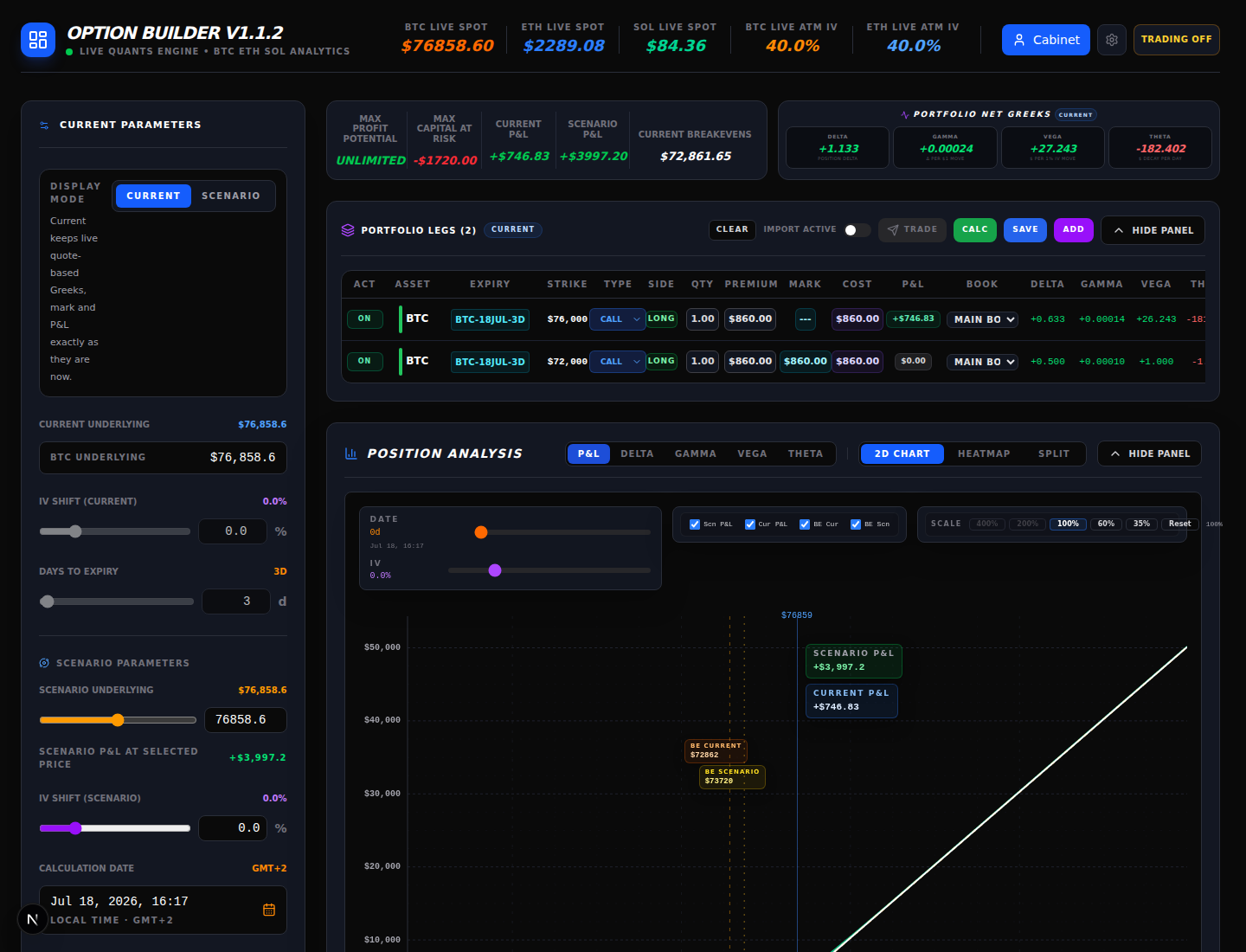
7. Read the result cards
I read the cards as model outputs, not as forecasts:
- Max Profit Potential is the modelled upper profit bound for the construction. It can be unlimited for some structures.
- Max Capital At Risk shows the modelled capital-at-risk figure for the construction. Confirm whether the sign and units match your intended interpretation.
- Current P&L is the current quote-based result.
- Scenario P&L is the result under the selected What-If inputs.
- Breakeven is the displayed underlying level where the modelled result crosses zero under the shown assumptions.
These values depend on the inputs, quote freshness, time convention, and model assumptions. They are not a statement about the account balance, margin call, or execution price.
8. Read Delta, Gamma, Vega and Theta
The Portfolio Net Greeks card aggregates the enabled legs:
- Delta: the position’s modelled sensitivity to a move in the underlying.
- Gamma: how Delta changes for a move in the underlying.
- Vega: the displayed P&L sensitivity to a one-percentage-point IV move.
- Theta: the displayed daily time-decay sensitivity.
Read the sign, unit label, and mode together. Greeks change with spot, IV, time, and the selected contracts; a neutral Delta at one point is not a permanent property of the position.
9. Use Position Analysis
Position Analysis can display P&L, Delta, Gamma, Vega, or Theta. In P&L mode, choose 2D Chart, Heatmap, or Split. Heatmap and Split are P&L views; the other Greek modes use their own chart presentation.
10. Current versus Scenario
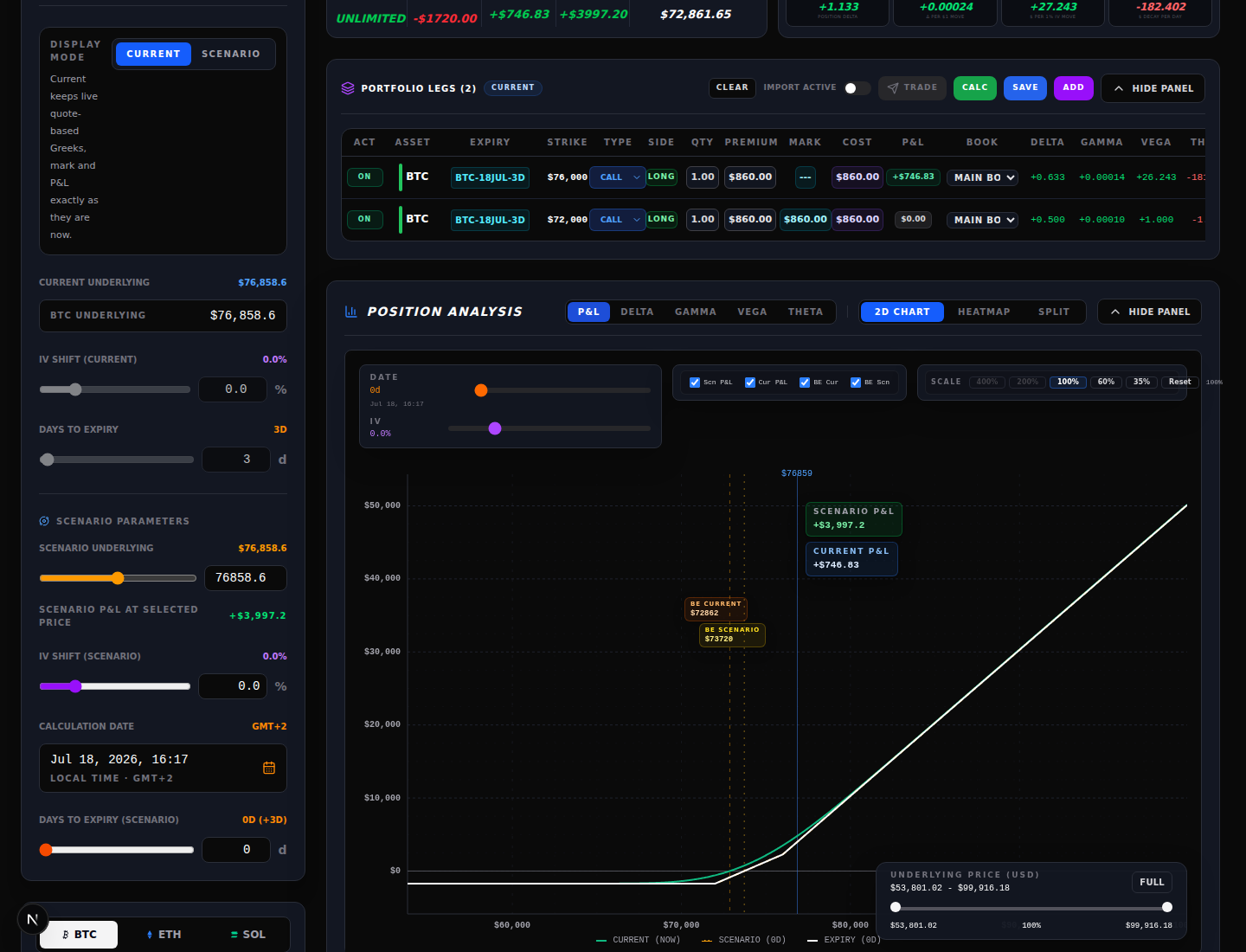
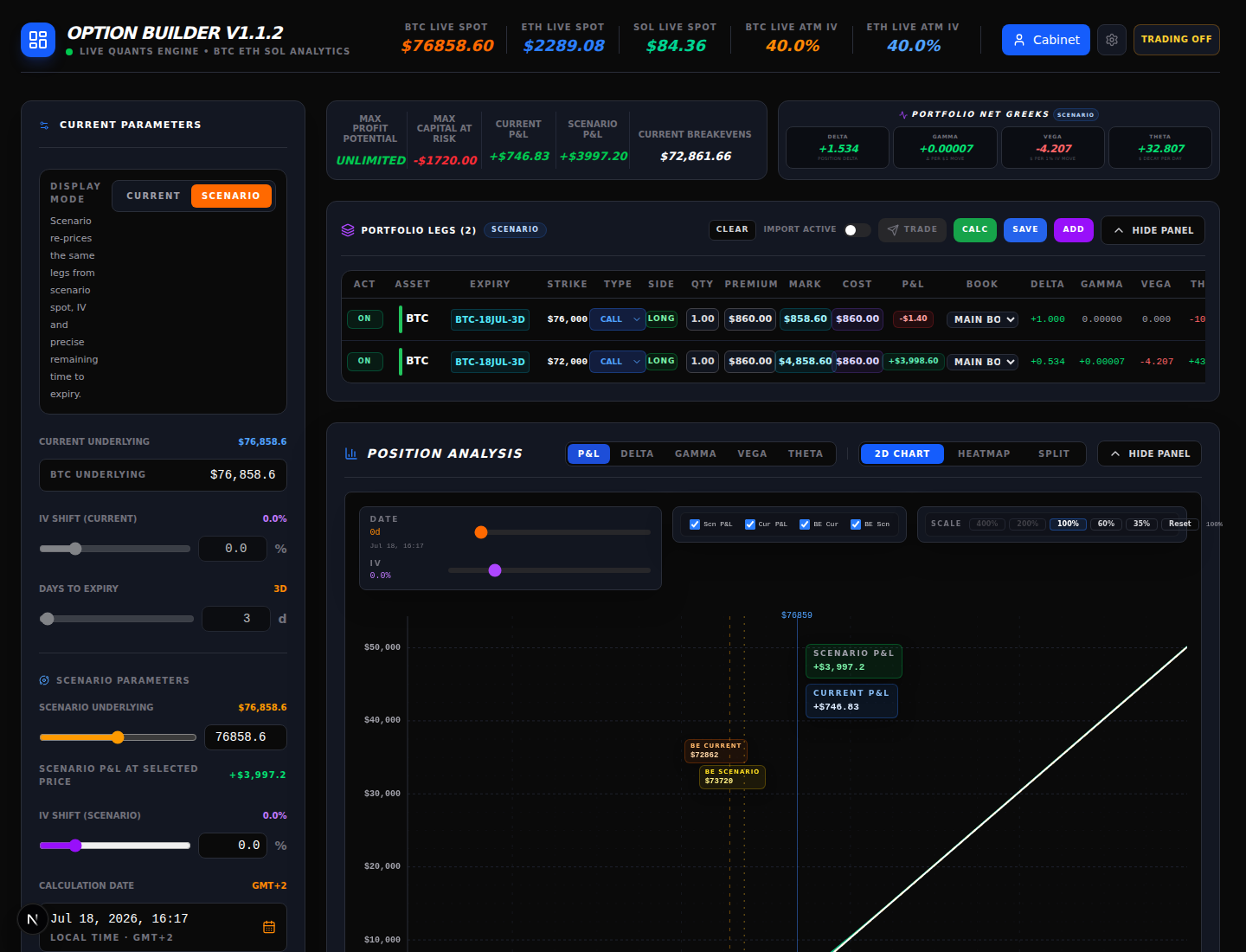
Current keeps the quote-based values and current market context. Scenario re-prices the same enabled legs from the scenario spot, IV shift, calculation date, and remaining time. Switching modes changes the valuation view; it does not edit an exchange position.
11. Run a disciplined What-If check
Change one assumption at a time: scenario spot, IV shift, or days to expiry. Record the resulting P&L and Greeks, then reset or test the next assumption. A useful minimum is an adverse spot move, a flat-price passage of time, and an IV decrease or increase relevant to the thesis.
What-If is a calculation view. It does not change real positions, wallet balances, exchange margin, or open orders. Do not describe a scenario result as a guaranteed future P&L.
12. Decide what to do with the construction
Save persists the construction as a strategy when your account has that capability. Add to Virtual Portfolio adds it to the local virtual-portfolio workflow for tracking; it is not an exchange order. Use either only after checking the rows and assumptions.
Trade or Send Construction to Order Book crosses into the order-ticket workflow for the enabled tradable legs. It is the boundary where exchange settings, permissions, credentials, balances, and final order review matter. Opening the ticket is not the same as confirming an order; review the ticket and the exchange response separately.
For longer-lived monitoring, continue in Strategies. For risk concepts behind margin and What-If analysis, see Options Margin, IM/MM and What-If Risk.
Trader checklist before sending an order
- Asset, expiry, type and side match the thesis.
- Strike, premium, quantity and IV use the intended units.
- Every enabled leg is visible in Portfolio Legs.
- Quote source and freshness are understood.
- Current and adverse Scenario results have been checked.
- Max capital at risk and breakeven are acceptable for the plan.
- Net Delta, Gamma, Vega and Theta are understood.
- The order ticket has been reviewed independently of the calculator.